InfinniPlatform
stable
  • Getting Started
  • Dynamic Objects
  • IoC Container
  • Application Events
  • Application Configuration
  • Monitoring and Diagnostics
  • Data Serialization
  • HTTP Services
  • Document Storage
  • BLOB Storage
  • Data Caching
  • Message Queue
  • Security
  • Job Scheduler
  • Print View
    • Using Print View
    • Print View Designer
  • API Reference
  • Release Notes
InfinniPlatform
  • Docs »
  • Print View »
  • Print View Designer
  • Edit on GitHub

Print View Designer

Print View Designer is the special WYSIWYG editor for creating Print View templates. Currently it works only on Windows 7+ with pre-installed .NET 4.5.

Print View Designer is an open-source project and available here:

https://github.com/InfinniPlatform/InfinniPlatform.PrintViewDesigner

1. Download a Windows installation script InfinniPlatform.PrintViewDesigner here.

2. Run Install.bat:

Install.bat

3. Go to the designer folder (where X - version number of the designer):

cd InfinniPlatform.PrintViewDesigner.X

4. Run the designer:

InfinniPlatform.PrintViewDesigner.exe

Below is an example of the designer main window.
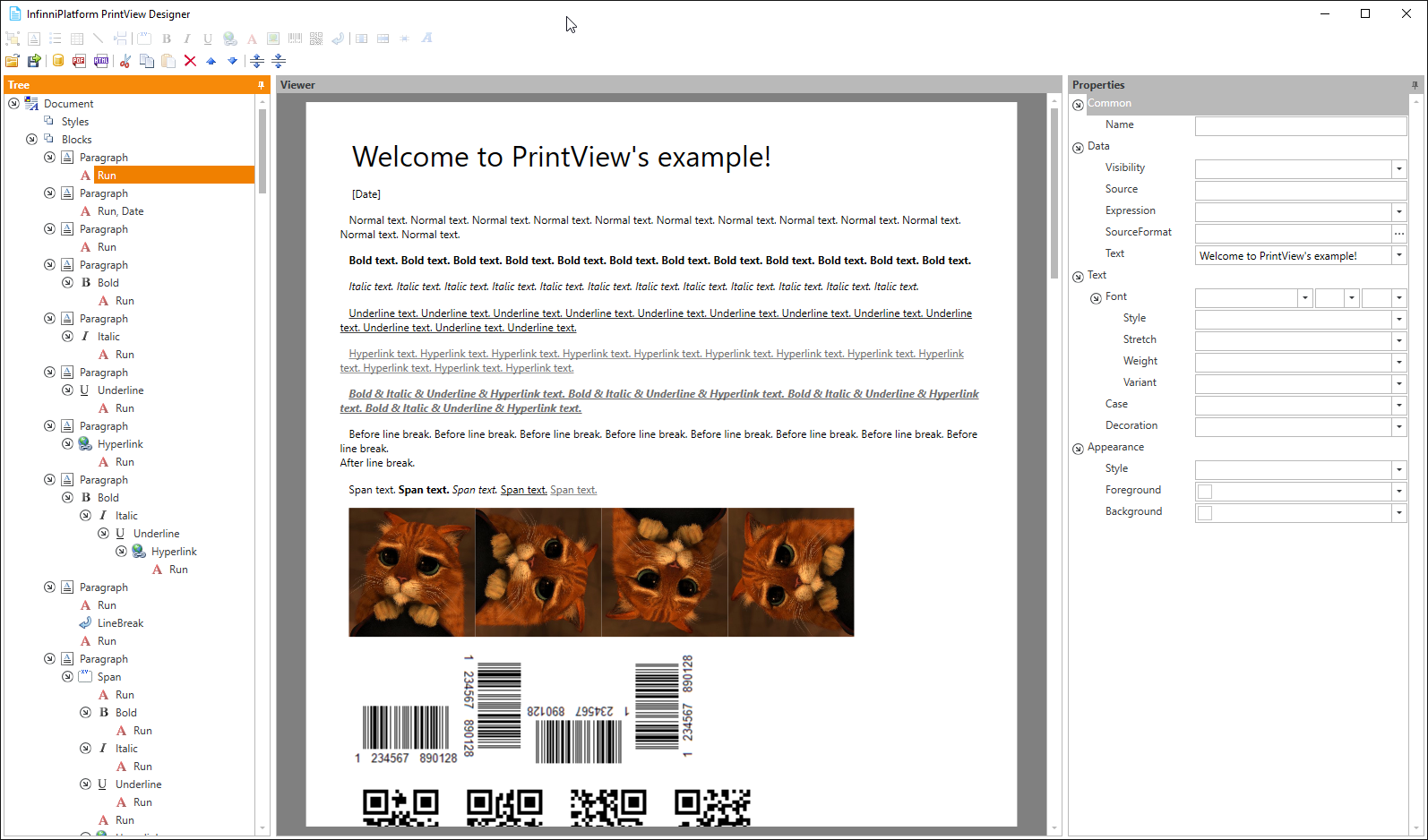
../_images/printViewDesigner.png
Next Previous

© Copyright Infinnity Solutions Ltd, 2010–2017. Revision 67755520.